How to Register WhatsApp Business API in UAE (2026): Step-by-Step Setup Checklist
NXTAA Implementation Team
WhatsApp API Onboarding
How to Register WhatsApp Business API in UAE (2026)
This page is only about registration and setup. It is not a general strategy or recovery article.
1. Prerequisites Before You Start
Prepare these first:
- Active legal business entity and trade documentation.
- Business website and consistent public identity.
- Dedicated number for WhatsApp API onboarding.
- Team owner for verification and approval tracking.
The document pack
Assemble all of this before you open an application. Submitting half-ready is the most common cause of a stalled verification:
- Valid UAE trade license.
- Certificate of incorporation.
- VAT registration certificate, where applicable.
- A utility bill or bank statement whose address matches Meta Business Manager exactly.
- A live business website stating your legal business name and contact details.
Every character matters. A trade license reading "Technologies L.L.C." against a Business Manager entry reading "Technologies LLC" is enough to bounce the application, and you will not get a useful explanation of why.
The phone number trap
This is where most UAE registrations lose a week.
The number you use cannot already be active on WhatsApp - not on a personal account, not on the WhatsApp Business app. If it is, you must delete that account first, and deleting it destroys the chat history on it.
That matters more than it sounds. Plenty of businesses have been running customer conversations on the WhatsApp Business app for years on the number everyone knows. Migrating that number to the API means accepting the loss of those threads.
Two practical options:
- Use a fresh dedicated number. Cleanest path, no service interruption, no data loss. The cost is that customers have to learn a new number.
- Migrate your known number. Export what you can first, tell customers about the switchover window, and expect a short outage during the move.
Either way the number must be able to receive an OTP by SMS or voice call at verification time. A number tied to a device nobody in the room has access to will stop the process cold.
2. How Long Registration Actually Takes
Registration is not one wait, it is four - and only one of them is long.
| Stage | Typical duration | What drives the variance |
|---|---|---|
| Meta business verification | 5-20 business days | Document accuracy. Mismatches restart the clock. |
| Number verification | Minutes | Whether the number is genuinely free and reachable for OTP. |
| Display name approval | 24-48 hours | Whether the name plainly matches the business. |
| Template approval | Near-instant to 24 hours | Category fit. Marketing templates take longest. |
Business verification dominates everything else, and it is the stage you have the most control over - it turns almost entirely on whether your documents agree with each other. The teams that finish in a week are not lucky; they front-loaded the document pack in Section 1 and had one person check every field against source documents before submitting.
Plan for two to three weeks end to end on a first registration. Anyone promising same-day go-live is either skipping verification or has already completed it on your behalf.
3. Business Verification Workflow
- Create or validate Business Manager ownership.
- Complete business verification documentation.
- Align legal name, domain, and profile details.
- Confirm admin roles and security controls.
4. Number and WABA Onboarding
- Reserve number for API use only.
- Complete number verification flow.
- Attach number to the correct WABA.
- Validate display name and business profile fields.
5. Display Name and the Green Tick
Display name
Your display name is what customers see when you message them. Meta checks that it plainly relates to your business:
- It must have a clear relationship to your registered business name.
- No extra capitalization, decorative symbols, or promotional wording.
- Approval typically lands within 24-48 hours.
Official Business Account (the green tick)
The green tick is not required to use the API and you cannot buy it. It signals Official Business Account status:
- Eligibility rests on your brand being "notable" - a real public presence Meta can corroborate from sources it does not control, such as press coverage.
- Timing: you can apply through Meta Business Manager once you reach Messaging Tier 2.
- Reality check: most SMEs will not qualify at first application, and that is fine. A verified display name and a well-run number carry the customer trust that matters day to day.
Treat the tick as a later milestone, not a launch blocker.
6. Template Approval Setup
Before submission:
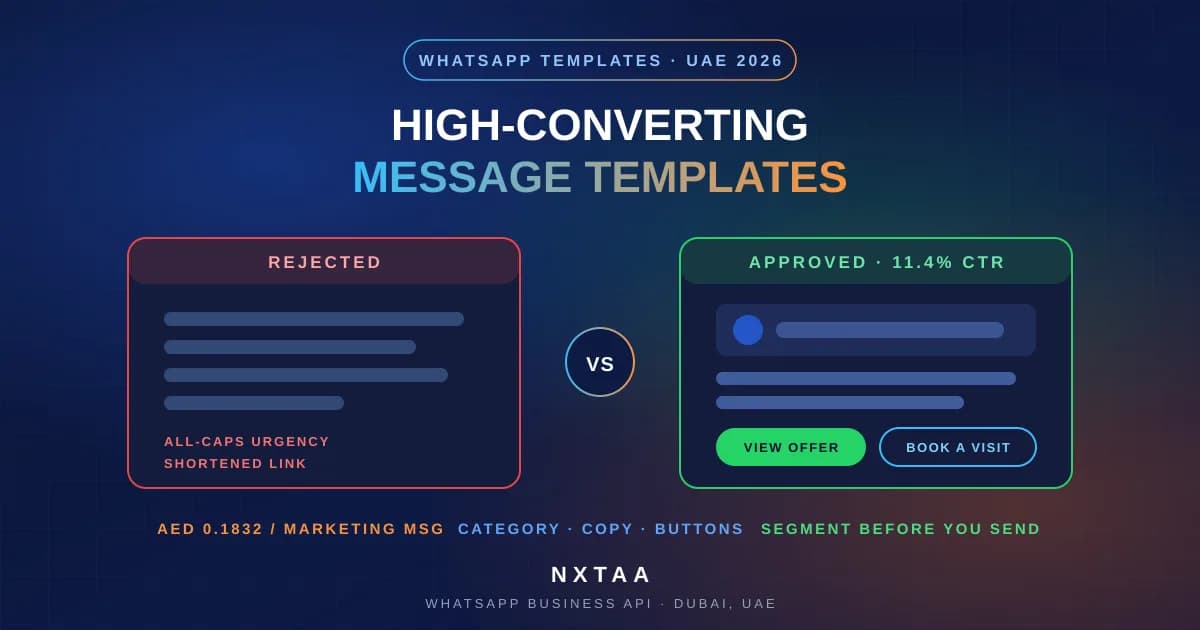
- Assign correct category (marketing, utility, authentication).
- Add clear user value and opt-out pattern where needed.
- Remove prohibited or ambiguous wording.
After approval:
- Start with low-risk utility templates.
- Introduce marketing templates after quality baseline is stable.
7. Go-Live Checklist
- CRM/contact sync tested.
- Consent source mapping active.
- Suppression and opt-out logic tested.
- Monitoring dashboard for delivery, complaints, and block rates.
- Escalation runbook for incidents.
8. First 30 Days After Registration
- Week 1: utility and support use-cases only.
- Week 2: controlled broadcast tests on verified audiences.
- Week 3-4: campaign optimization and template expansion.
For pricing and operating model decisions, use the pillar guide: WhatsApp Business API UAE 2026 Playbook.
9. Document Readiness Checklist (UAE)
Registration delays usually come from incomplete identity alignment rather than platform complexity.
Prepare this pack before submission:
- Trade license and legal entity details.
- Domain ownership and brand identity consistency.
- Business address and support contact consistency.
- Authorized admin list for Business Manager.
Internal control tip:
- Use one pre-submission checklist and one owner who confirms every field against legal documents.
10. Common Rejection Reasons and How to Prevent Them
| Rejection Pattern | Root Cause | Prevention Control |
|---|---|---|
| Verification stalled | Entity details do not match legal records | Pre-validate names and addresses against source documents |
| Display name rejected | Brand naming inconsistent with domain or business profile | Use consistent, verifiable naming conventions |
| Template approvals delayed | Ambiguous message intent or poor category fit | Category review and compliance check before submit |
| Go-live blocked | Missing operational readiness for suppression and opt-out | Run pre-launch QA checklist with test contacts |
11. Access and Ownership Matrix
Create this matrix before launch:
- Business owner: approves policy decisions.
- Technical owner: manages integrations and reliability.
- Operations owner: handles day-to-day sending controls.
- Compliance owner: validates template and consent process.
Without this model, registration can succeed but operations can fail in the first month.
12. Pre-Go-Live Quality Assurance Runbook
Run end-to-end QA before first production send:
- Consent sync test from source system to messaging layer.
- Opt-out test from user reply to suppression list.
- Template rendering test across language variants.
- Delivery, read, and failure webhook event validation.
- Duplicate-send prevention check for retries.
Sign-off gates:
- Technical gate complete.
- Compliance gate complete.
- Business gate complete.
13. 14-Day Stabilization Plan After Launch
Days 1-5
- Keep traffic limited to low-risk service and utility flows.
- Monitor failures and suppression behavior every day.
Days 6-10
- Expand to carefully segmented outbound campaigns.
- Run performance and complaint checks per segment.
Days 11-14
- Consolidate lessons into a registration-to-operations SOP.
- Move from launch mode to ongoing governance cadence.
14. TDRA Compliance for UAE Operators
Meta's policy is the platform layer. Operating in the UAE adds a regulatory layer on top of it, and clearing Meta's review does not mean you have cleared this one.
What TDRA expectations mean in practice for a WhatsApp programme:
- Documented explicit consent before any marketing message. Not implied, not inherited from another channel, and reproducible on request with source and timestamp.
- A clear opt-out in every marketing message, and one that is actually honoured in your systems within a short window. An opt-out that takes three days to propagate through a CRM sync is an opt-out that will generate a complaint.
- Content restrictions under UAE law. Alcohol, tobacco, gambling and comparable restricted categories are off-limits regardless of what Meta's template review happens to approve. Template approval is not a legal clearance.
- Sender identity that matches your registered entity, consistently across your display name, business profile, and website.
Two consequences worth planning for at registration rather than discovering later. First, consent records need a retention policy - you must be able to produce them for contacts you messaged months ago, which means your consent log cannot be a spreadsheet someone overwrites. Second, if you operate in a regulated vertical such as finance or healthcare, expect additional scrutiny of both your licensing and your message content, and prepare that documentation before it is requested.
15. Bilingual Templates for the UAE Market
Build your template library in Arabic and English from the start. Retrofitting a second language after launch means resubmitting the entire library for approval, and every one of those templates re-enters the review queue.
Practical notes:
- Submit each language as its own template variant rather than mixing languages in one body.
- Have Arabic reviewed for tone, not just accuracy. A literal translation of English marketing copy frequently reads as brusque or oddly formal, and tone drives the reply and complaint rates that determine your quality rating.
- Check variable placement. Dynamic fields inserted into Arabic text can break sentence structure in ways that are invisible if you only test the English version.
- Test render on a real device in both languages before going live. Right-to-left rendering issues surface at the handset, not in the dashboard preview.
The compliance argument for bilingual opt-in wording applies here too: a customer who received the terms in their own language cannot reasonably claim they did not understand what they agreed to.
Anonymized Industry Insights (2026 Planning Lens)
- Across large messaging programs, teams that enforce strict consent provenance and weekly suppression audits consistently sustain healthier quality signals than teams that optimize only for short-term send volume.
- Benchmark studies show that response speed and message relevance influence conversion and retention more than raw campaign frequency, which supports a quality-first scaling approach for WhatsApp in UAE.
- Programs with clear ownership between marketing, operations, compliance, and engineering tend to recover faster from incidents because root-cause correction and escalation are coordinated instead of fragmented.
- High-performing teams run structured pre-send checkpoints, detect risk early through complaint and block trend monitoring, and scale only after stability is validated over multiple campaign cycles.
- Channel trust is usually damaged by repeated low-relevance outreach, so mature operators prioritize segmentation discipline, intent alignment, and transparent opt-out handling in every workflow.
These insights are included as market-level operating patterns and should be interpreted alongside official WhatsApp policy, Meta platform documentation, and UAE regulatory requirements.
Authoritative Sources and 2026 Industry Signals
The following sources were selected to strengthen evidence quality for this topic. Prioritize official policy and platform documentation first, then research and industry benchmarks for strategic interpretation.
- WhatsApp Business Messaging Policy (Official) - Primary platform policy baseline for business messaging behavior and enforcement.
- WhatsApp Business Terms (Official) - Contractual framework and operational obligations for business usage.
- Meta for Developers: WhatsApp Messaging Limits - Official technical rules for scaling and quality-dependent messaging capacity.
- UAE Legislation Portal: Federal Decree-Law No. 34 of 2021 - Primary legal reference for cyber and digital communication conduct in UAE.
- DataReportal: Digital 2025 - United Arab Emirates - Country-level digital behavior context to frame channel planning assumptions.
- GSMA: Mobile Economy Reports - Neutral telecom industry benchmark for mobile usage trends and market context.
- Meta Newsroom (July 2025): New ways to start and keep conversations on WhatsApp - Direct platform update on business messaging controls and engagement design.
- Meta Newsroom (October 2025): Chat with businesses on WhatsApp - Platform evolution context for conversational commerce and business messaging.
- Meta for Developers Video: Get Started on Cloud API - Official walkthrough video for implementation fundamentals.
- Meta for Developers Video: Get Started with WhatsApp Business Platform - Official onboarding and setup orientation for platform teams.
- Research: Comprehensive Framework for Evaluating Conversational AI Chatbots (arXiv 2025) - Framework for evaluating conversational system quality and governance.
- Research: A Desideratum for Conversational Agents (arXiv 2025) - Current research synthesis on capabilities, risks, and evaluation priorities.
- Research: Usability, Humanization, and Perceived Service in Chatbot Satisfaction (2026) - Recent empirical evidence on user satisfaction drivers in chatbot interactions.
Use these references to keep operating decisions aligned with policy updates, technical platform constraints, and current customer-experience expectations as of September 3, 2026.
Related Guides
- WhatsApp Business API UAE 2026: Pricing and Compliance Playbook
- How to Send Bulk WhatsApp Messages in UAE
- WhatsApp Chatbot Guide for Dubai Businesses (2026)
- How to Create High-Converting WhatsApp Marketing Templates
- Omnichannel CRM for UAE Businesses: WhatsApp, Email, SMS & Reviews
- WhatsApp Business API Pricing Changes October 2026
- Official WhatsApp Business API Service